
A workspace for the work
between agent sessions.
Observe the work, keep useful context, review automation and test what improves it. One local workspace, around the coding tools you already use.
Put tool calls back in context.
Browse supported Claude Code, Codex, imported Cursor and Pi/OMP logs. Search messages, inspect plans and session relationships, and import history in batches. Status reflects log evidence; missing evidence stays unknown.
Explore the documentation →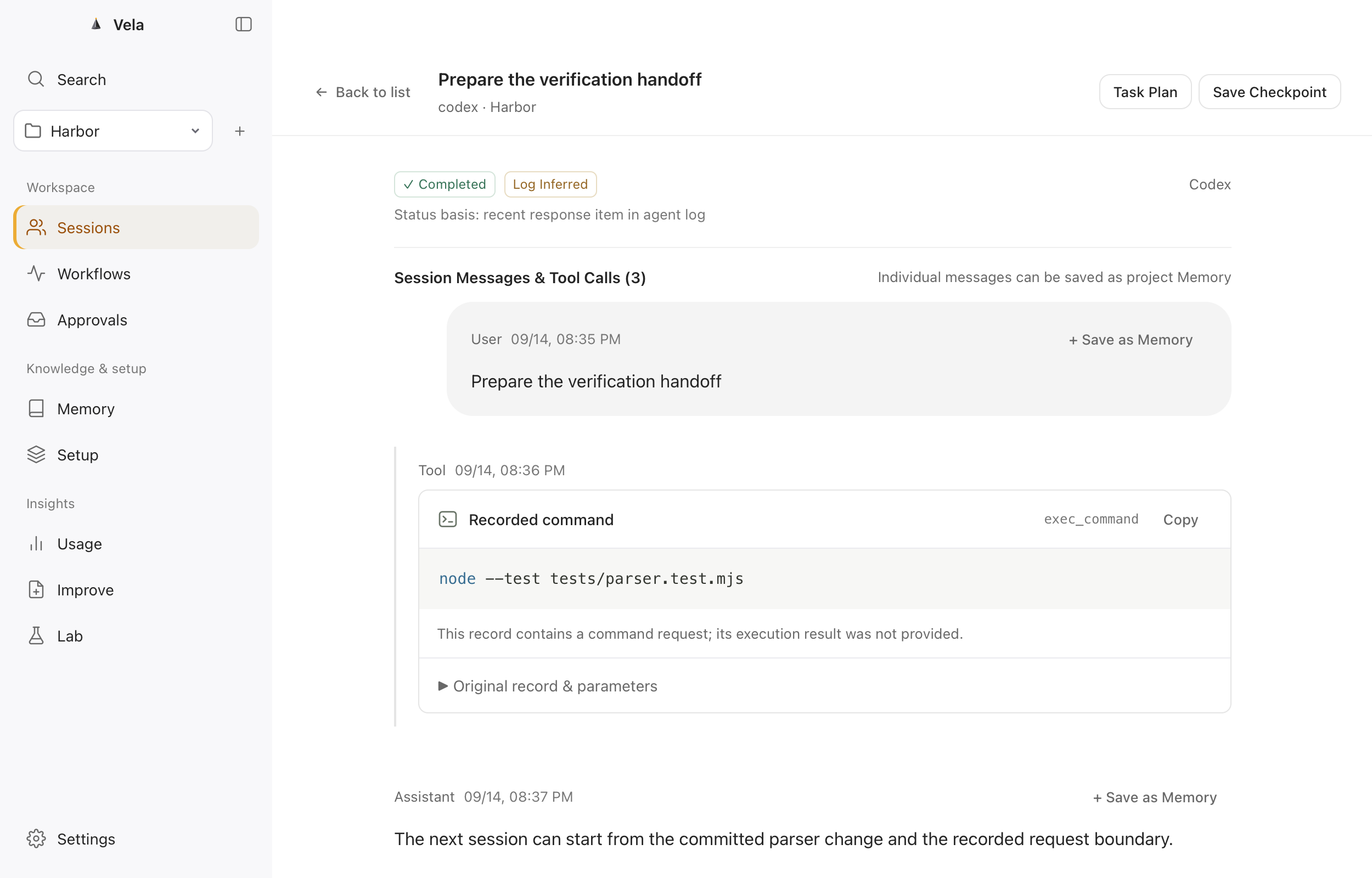
Keep what the next session needs.
Capture candidate memories from sessions, review before activation, and recall within project and scope. Supersede or archive old context. Local lexical, semantic and hybrid search plus archive import/export keep it manageable.
Explore the documentation →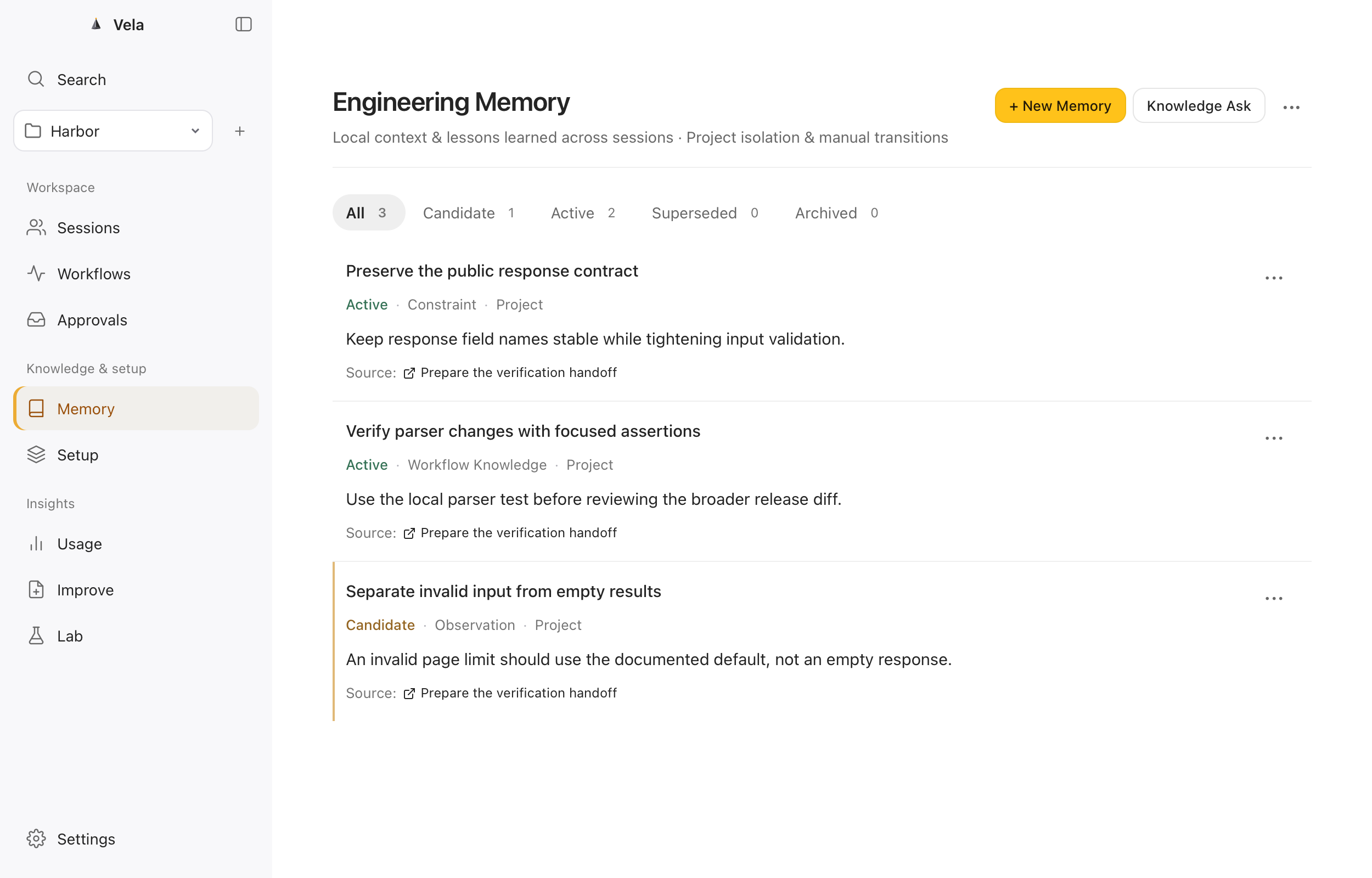
Answers with sources. Notes with boundaries.
Keep versioned references and find relevant passages with full-text search. Ask calls your configured model after separate approval and returns citations. Private sources are excluded from agent retrieval and question context.
Explore the documentation →Understand the configuration in your project.
Inspect rules, skills, hooks, MCP and guidelines together. Scan documented locations, review redacted content and diffs, and follow version/source relationships. Scanning does not execute hooks or MCP servers.
Explore the documentation →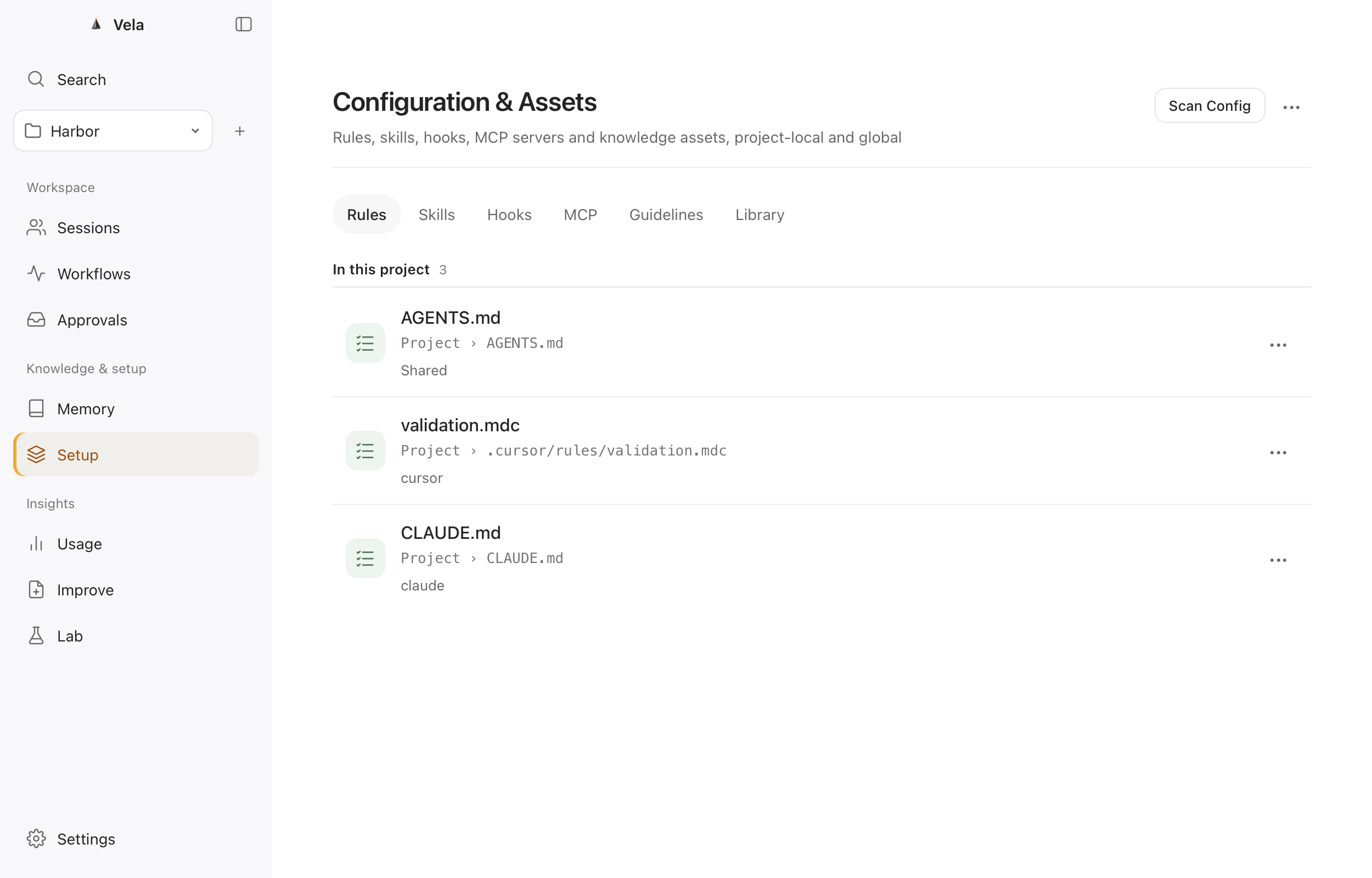
Make repeatable checks reusable.
Save workflows as Markdown, select memory and guidelines, and dry-run before reviewing mutations. Run records, health checks, explicit schedules and governed connector actions support repeatable work.
Explore the documentation →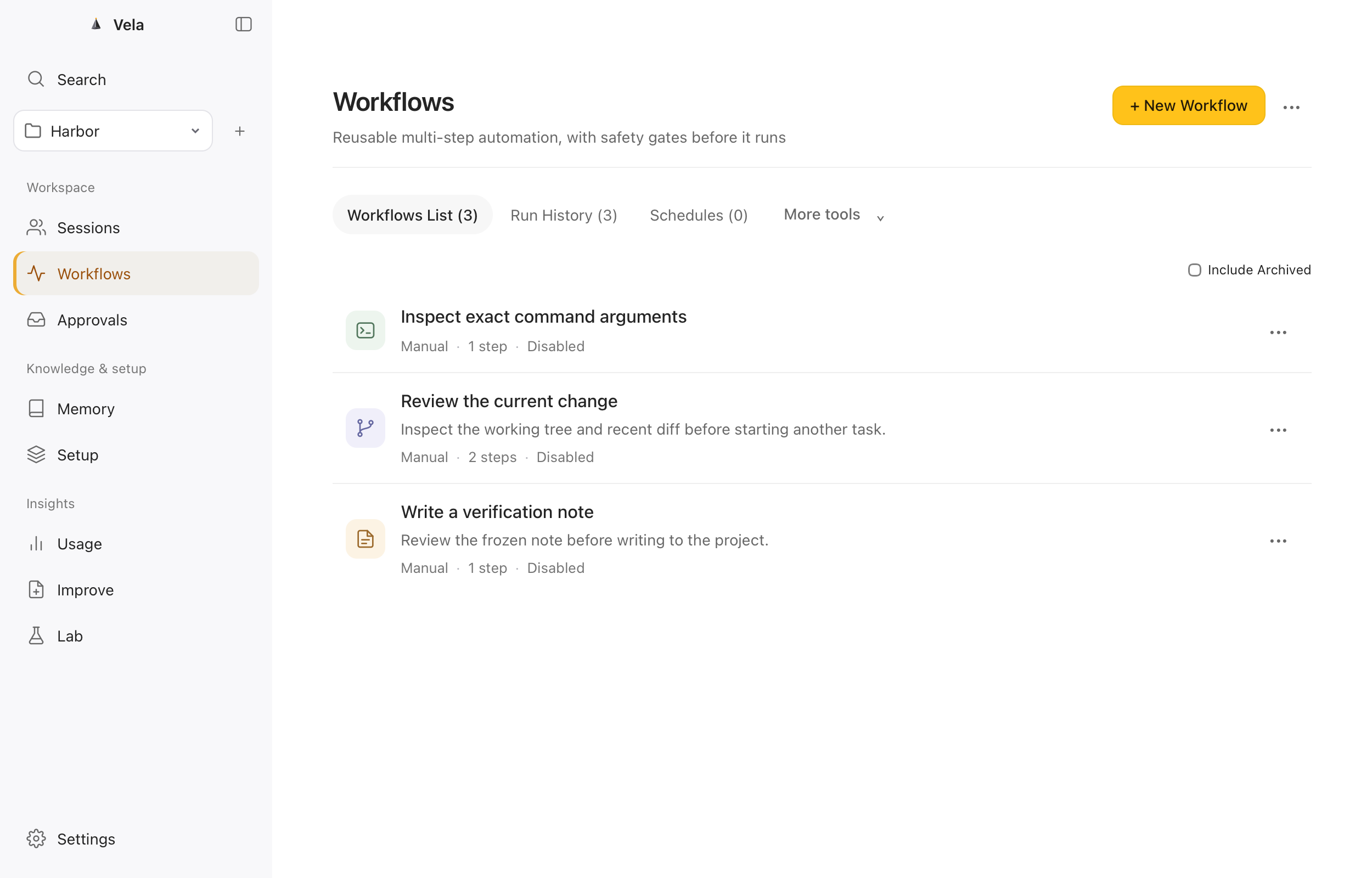
See the change before it happens.
Review the target file, exact arguments and full content in Inbox. Approval covers one reviewed operation; expired approvals cannot execute. Supported local changes retain recovery records.
Explore the documentation →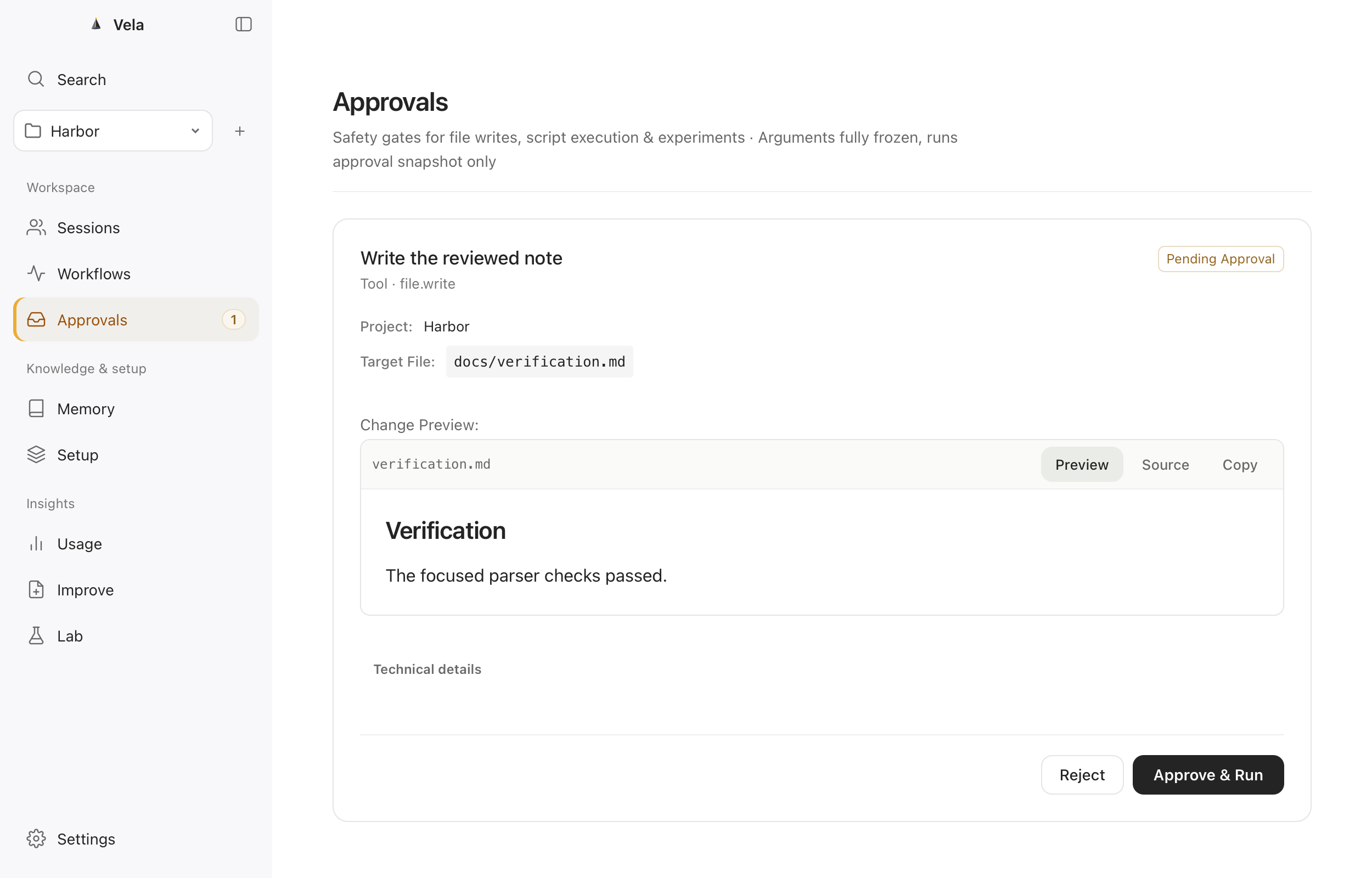
Turn failures into reviewable changes.
Review correction signals and prepare evidence-backed project configuration proposals. Preview the diff, apply the reviewed change and keep its record. Supported changes can be undone.
Explore the documentation →Choose the next step with evidence.
Compare baseline and candidate commands or agent configurations in isolated Git worktrees. Inspect recall, output and verification results. Insufficient evidence is reported as inconclusive.
Explore the documentation →Keep execution and usefulness distinct.
Inspect run output and delivery state, then separately record usefulness and reasoning. Versioned feedback history keeps a successful command distinct from a useful result.
Explore the documentation →Numbers with a visible source.
Review observed token usage and Codex account quota status when it is available. Missing values are not shown as zero, and log usage remains separate from subscription allowance.
Explore the documentation →Carry context into the next session.
Export a neutral checkpoint and offer context through local MCP, CLI, SDKs or a reviewed Codex hook. Optional integrations install separately; the desktop does not bundle Node.
Explore the documentation →Keep your engineering data yours.
Native AppKit, system WKWebView and a Swift helper. Keep Markdown assets and SQLite indexes locally. The CLI can back up and restore to a new local Store; desktop management is still being completed. The full disaster-recovery matrix remains under validation. Choose English or Simplified Chinese, notification preferences and sound previews; system delivery requires macOS authorization.
Explore the documentation →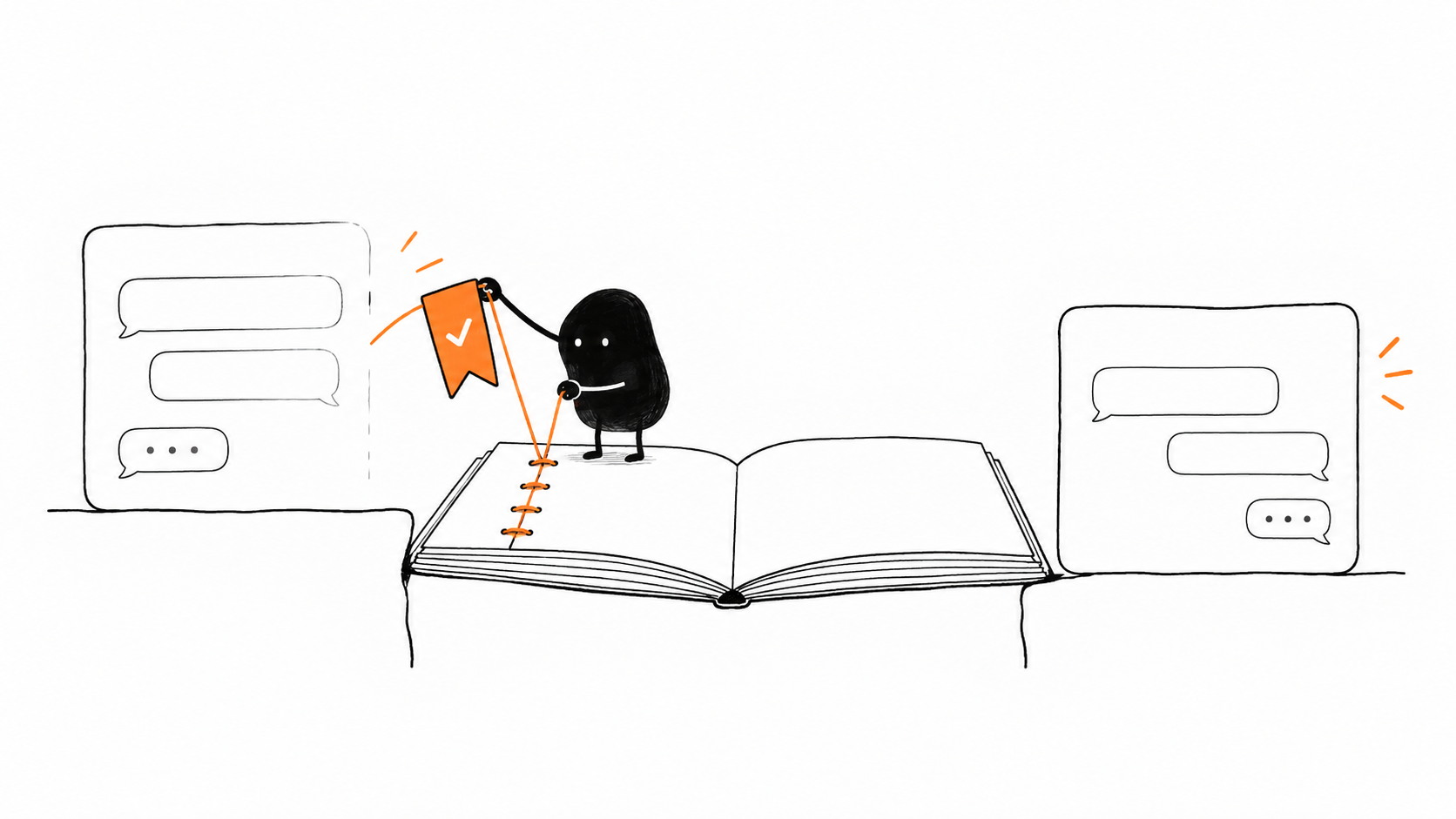
A session ends. The useful part stays.
Read the source, keep a reviewed piece of context, and offer it to the next session. Vela keeps the history of that decision; only a later comparison can tell you whether it helped.